
ASUNI SOFT
McNEEL EUROPE
ICREATIA

The Asuni Group is a holding of several companies whose mission, since its creation in 1993, has been to develop and supply 3D design software that provides users with tools to create complex projects adapted to the needs of society, without technology being an impediment to their creativity.
The goal is to involve the user in the software development and to provide products that facilitate and enhance their creative work. To do this, our development strategy is user-oriented, listening to their needs and involving them in the evolution of the products. We also provide free technical support and training in different ways.
The financing of the company, both in research and development as well as in infrastructure and staff, has always come from our own resources generated by our constant and sustainable growth and by working together with our customers and partners.
Organization chart Asuni Group:
Asuni Soft
McNeel Europe
Icreatia
Asuni Investment
Asuni Soft:
Asuni CAD was established in 1993, specializing in the development and marketing of 3D design software for the architectural, civil and mechanical engineering markets with AutoARQ, Genius and Cadpipe for AutoCAD.
Asuni Soft was created in 2002, incorporating all Asuni CAD’s activity, as it became the head of the Asuni Holding.
Over the years, Asuni Soft has evolved from the commercialization and development of the aforementioned products, as well as the distribution of Autodesk Architectural Desktop software, to focus only on the development of its own products that work on the Rhino and AutoCAD platforms.
Its activity is currently focused on product development and marketing:
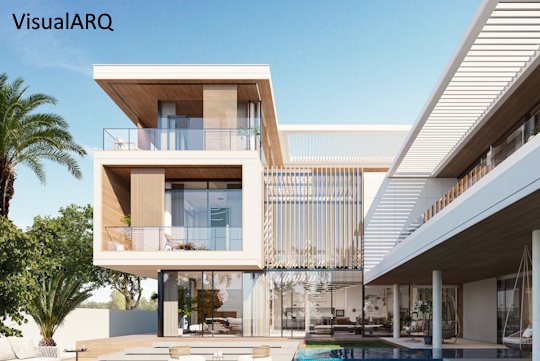
- VisualARQ: software for architectural design with BIM technology (visualarq.com)
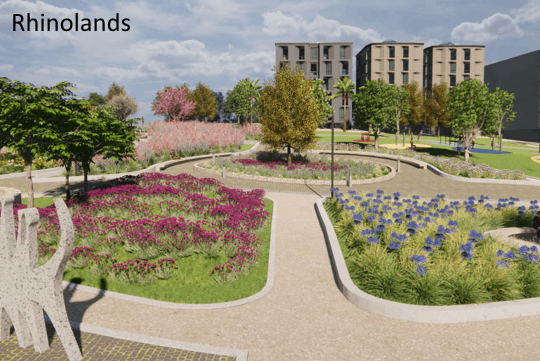
- Lands Design / RhinoLands: BIM software for landscape design (rhinolands.com)
Both products run on the Rhino platform, and in the case of Lands Design also on the AutoCAD platform. They are translated into 10 languages and are sold all over the world, with more than 80 dealers, which allows us to offer training and customized services on site in local languages.
McNeel Europe:
McNeel Europe was established in 1998 in Barcelona as the EMEA (Europe, Middle East and Africa) headquarters of the North American company Robert McNeel & Associates. McNeel Europe’s task is to carry out all activities related to marketing, dissemination, logistics, technical support, localization, training and a part of the software development, as well as the creation and maintenance of the Food4Rhino website.
The main tasks are focused on:
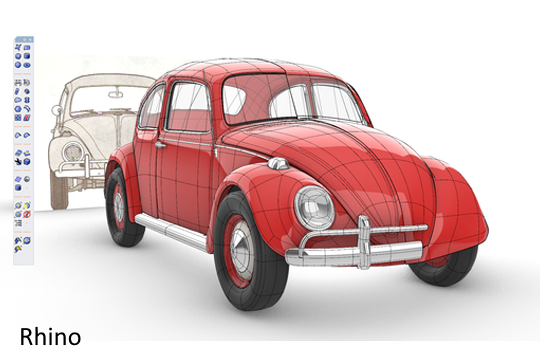
- Rhinoceros: 3D modeling software based on NURBS technology, which provides solutions for multiple industries, from industrial design or architectural design to jewelry design or animation. Rhino tools for CAID (Computer Aided Industrial Design) and CAAD (Computer Aided Architectural Design) have been a breakthrough for these industries. There are more than 500,000 professional Rhino users worldwide, as well as 10,000 schools, universities and FabLabs. Web site: www.rhino3d.com.
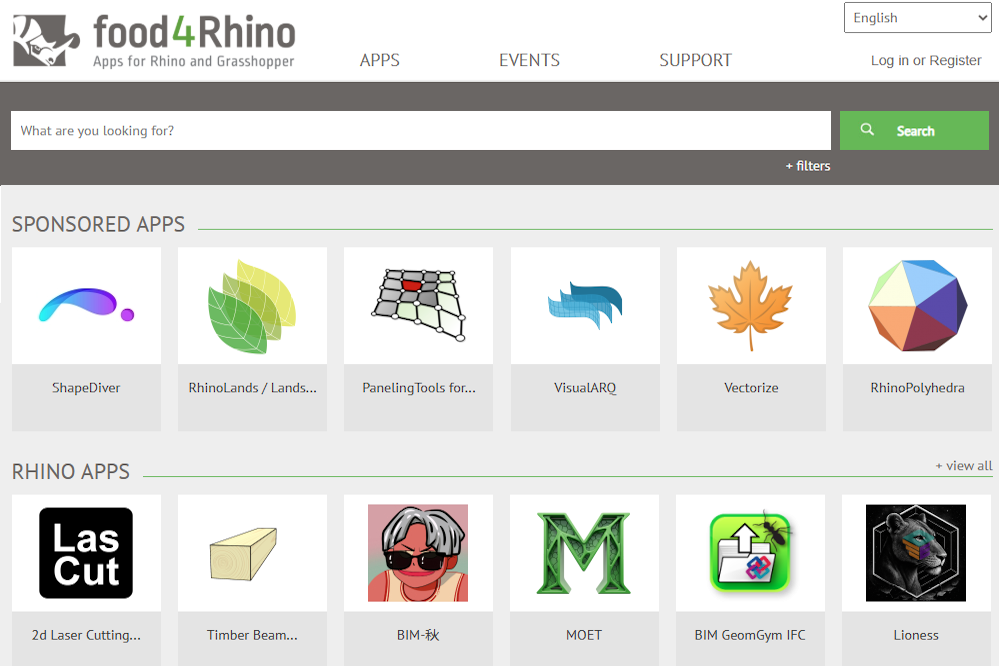
- Food4Rhino: website where you can find applications and services that work in Rhino or Grasshopper, created by external developers. It currently has more than 1,322 applications, an average of 187,000 downloads per month and 453,000 registered users.
Web site: www.food4rhino.com. - European Projects: department belonging to the research and development team that participates in advanced European projects as a technological partner. Current projects:
- V4 Design
- Mindspace
- Ecolopes
- Rhino.Ecologic
McNeel Europe has more than 175 dealers in EMEA and its products are translated into 8 European languages.
Icreatia:
An e-commerce company specializing in the sale of software and hardware products aimed at the graphic design market, industrial design, architecture, engineering, animation and any industry that uses design in their creative projects. A pre-sales and after-sales service is offered to help users get the most out of our products.
It sells products from more than 35 manufacturers for the Spanish market, offering sales, implementation and training services.
Featured products in Icreatia:
- Software: Rhinoceros, Adobe, Vray, Autodesk, Zbrush, Keyshot, Sketchup, VisualARQ, Corona, Cinema 4D, Lands Design, and more…
- Hardware: Wacom, 3D Connexion, Fujitsu, Form Labs, and more…
Asuni Investment:
Asuni Investment invests in innovative technology companies and also in real estate assets that are considered useful and complementary to the activities of the other companies in the group. For example, it offers accommodation facilities for clients and partners who visit us regularly.
Other investments in recent years have led to the acquisition of the company RhinoBIM and the participation in the Start-Up BIM&CO, specialized in BIM objects (https://www.bimandco.com/bim/) and Dear Intelligence, specialized in artificial intelligence (https://dearintelligence.com/).
Timeline:
1993
Asuni CAD is founded
Started distribution of Genius, Cad Overlay, AutoManager, Cadpipe and scanner Contex
Sculptura 2 is nicknamed Rhinoceros
AutoARQ 3.0 is released
1994
Sculptura 2 is renamed Rhinoceros and is privately shown at SIGGRAPH
1995
AutoARQ 4.0 is released
AsuniCAD starts distribution of Accurender 2.0
1996
AsuniCAD first website published: www.asuni.com
1997
Paseo Colon relocation
AutoARQ 5 is released
1998
McNeel Europe is created
Rhinoceros 1.0 is released
Accurender 3.0 is released
Autodesk Architectural Desktop distribution
1999
First European Rhino Reseller Meeting in Barcelona
Genius distribution is sold
AutoARQ 2000 is released
2000
Rhino 2 and Flamingo are released
AutoARQ Paisajismo 1 is released
2002
Asuni Soft is founded
Asuni CAD holding is founded
Concept4D is founded
Rhino 3 is released
2003
Penguin is released
2004
Bongo is released
AutoARQ Paisajismo 2 is released
2005
Pipe 2D is released
2006
latiendadelcad.com is released
2007
Roger de Flor relocation
Autodesk Architectural Desktop distribution is sold
Rhino 4 and Penguin 2 are released
2008
Grasshopper first beta
Rhino reseller meeting
2009
VisualARQ 1 is released
AutoARQ Paisajismo 3 is released
2010
Food4Rhino is released
2012
Flaminto nXt and Rhino 5 are released
2013
latiendadelcad changes name to Icreatia
Bongo 2 is released
2015
Rhino 5 for Mac is released
Electronic shipping begins
2016
Grasshopper for Mac first beta
Food4Rhino 2 is released
2017
VisualARQ 2 is released
2018
Rhino 6 for Windows is released
Asuni Investment is founded
2019
Rhino 6 for Mac is released
2020
Lands Design 5 is released
Rhino 7 is released. First simultaneous Windows and Mac release
2021
Rhino.Inside Revit is released
2023
Rhino 8 is released
Rhino World event
VisualARQ 3 is released
2024
RhinoLands and Lands Design 6 are released
Strategy:
The goal of all the companies in the group is to provide innovative, intuitive and powerful software products with a good quality-price ratio, aimed at the professional market and with a policy of discounted prices for the educational market. For this purpose, our development is based on creating WIP (Work-In-Progress) versions and Beta versions that are offered free of charge to users so that they can report their feedback and suggestions. In this way, the permanent collaboration between developers and users allows us to launch products to the market that meet the user needs and expectations with the maximum guarantee. Being aware that a good solution cannot be based on a single product, our software supports multiple file formats that allow collaboration and compatibility with most other products. Unlimited technical support is always offered free of charge and worldwide so that any user, regardless of their level of knowledge or expertise, can make the most out of our products in their work.
Staff:
We intend to have professionals with good technical knowledge and a multilingual profile working with us, whose additional qualities include honesty, enthusiasm and the willingness to contribute to useful solutions for our users, as well as for society as a whole.
We seek a pleasant and motivating work environment that allows the professionals who are part of the team to develop their knowledge and ideas.
The most common professions in the company are developers, engineers, architects, designers and linguists, coming from 8 countries.
Users:
Our users are companies, freelance professionals, schools and universities, professors and students from almost every country in the world in the fields of architecture, construction, engineering, industrial design, graphic design, jewelry design, shipbuilding, animation, art, etc.